You play most of your serious chess online, where every game is saved and analyzed automatically. Then you play an over-the-board game, a club night or a weekend tournament, and suddenly you are back in the stone age: the game exists only on a paper scoresheet, and getting it into your Lichess study means typing it in move by move.
If you have ever stared at a scoresheet thinking "I am not retyping all of this," this is for you.
Why OTB players want their games on Lichess
Online platforms spoiled us, and for good reason. Once an over-the-board game is a PGN on Lichess, you get:
- Free engine analysis that pinpoints the exact move where things went wrong
- Studies where you can annotate, add variations, and share with training partners
- A unified history so your serious OTB games live next to your online games instead of rotting on paper
- Opening tracking so your real tournament repertoire is searchable alongside everything else
The analysis you take for granted online is exactly what your OTB games are missing, and those are usually your most important games of the year.
The retyping tax
The standard ways to get a paper game into Lichess all cost you the same thing: time and patience.
- Type the moves into the import box. Forty moves, in algebraic notation, hoping you do not transpose two of them. One typo and Lichess rejects the import with an unhelpful error.
- Play it out on the board editor. Slightly more forgiving, still slow, still entirely manual.
- Just not bother. Which is what most people actually do, and why most OTB games are never analyzed at all.
The retyping tax is small per game and enormous per season. It is the reason the games you most want to study are the ones you never get around to importing.
Scan it instead
ChessSnap removes the typing entirely. You photograph the scoresheet and it produces the PGN.
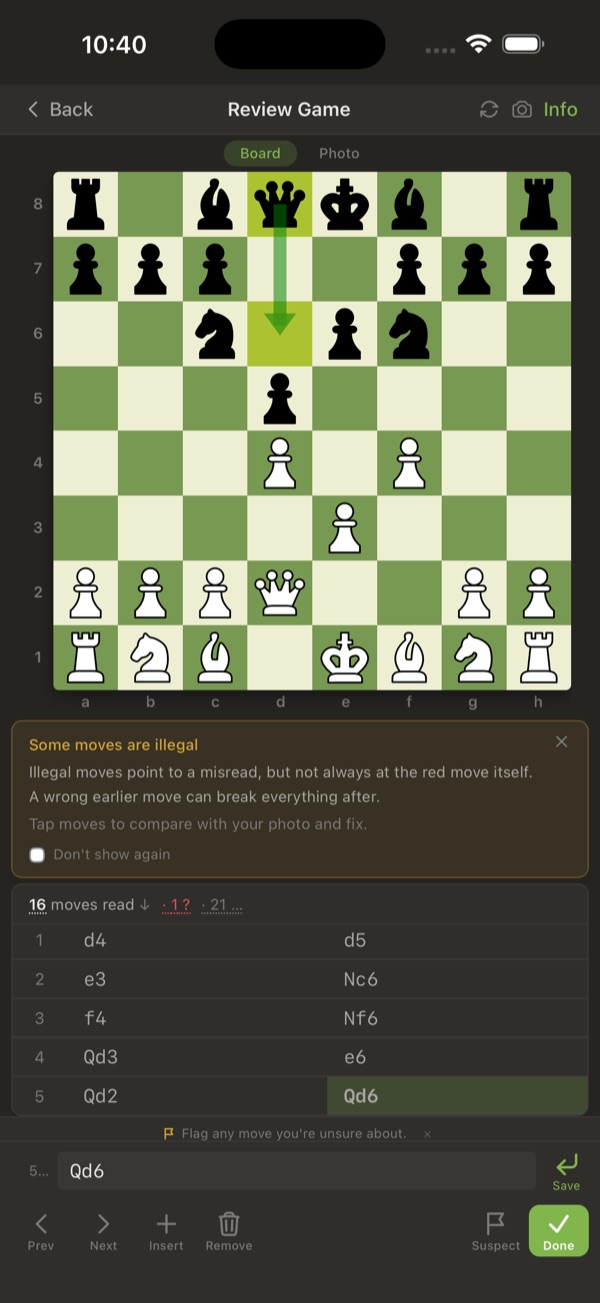 The review screen verifies every move against the rules of chess before you export.
- Snap the scoresheet. Phone camera, both sides if needed.
- The AI reads it. A vision model converts the handwriting into moves and fills in the game.
- Verify on a board. Every move is validated against the rules, so illegal moves are flagged with suggested fixes. You confirm and you are done.
- Open in Lichess in one tap. Straight from the app into the Lichess analysis board, or export the PGN to drop into a study.
Handwriting to PGN to Lichess, with no typing in between. For a club player with a notebook full of old games, it means you can finally digitize the backlog in an evening instead of never.
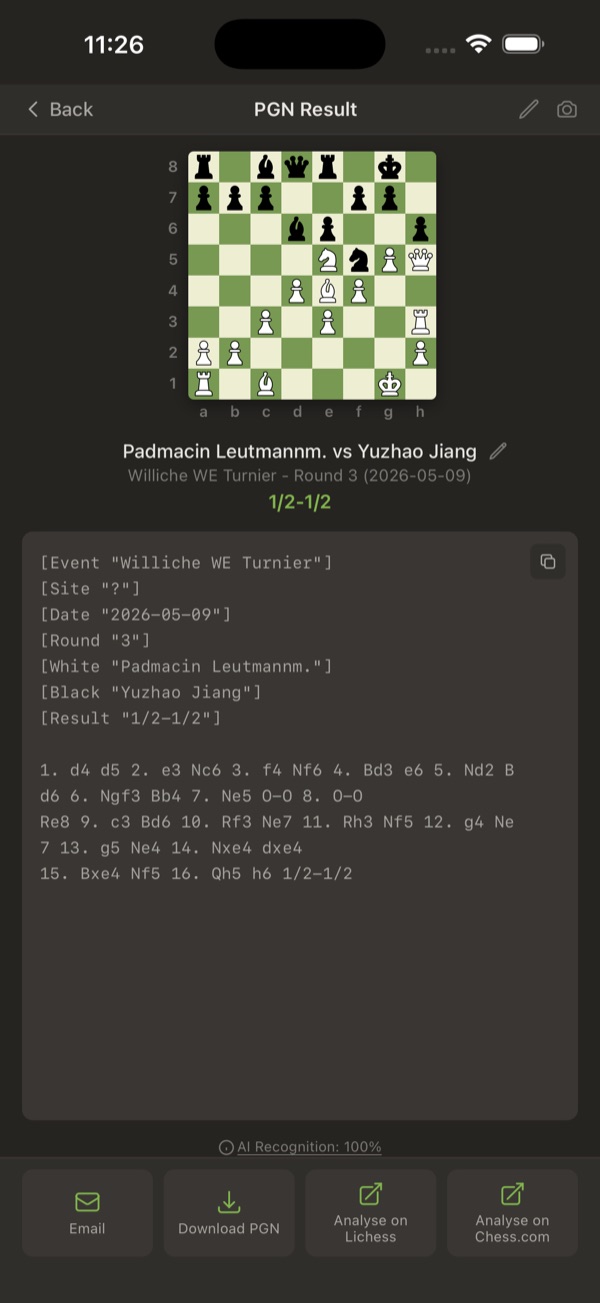 The finished game with a one-tap "Analyse on Lichess" button next to the exported PGN.
A note on clean notation
Recognition is only as good as the handwriting. If your scoresheets are a scrawl by move 30 because you were in time trouble, expect a correction or two, which the app makes quick. ChessSnap also learns your personal handwriting quirks over time, so your own scans get cleaner the more you use it. If you want fewer corrections from the start, our notation guide is a good refresher on writing unambiguous moves.
Stop letting your best games rot on paper
The games you play over the board are usually the ones you care about most, and they are the only ones you never analyze, purely because of the friction of retyping. Take that friction to zero and the habit changes: every OTB game ends up on Lichess, analyzed, the same week you played it.
Try it with the scoresheet from your last game. Scan it free, no signup required, and have it open in Lichess before you would have finished typing the first ten moves.