If you are a chess parent, you know the routine. Saturday morning drop-off, six rounds, a long day in a noisy playing hall, and at the end your child hands you a fistful of crumpled scoresheets. You mean to do something with them. They end up in a drawer.
This is the story of almost every promising young player's games: written down once, then lost. Here is how to keep them instead, with almost no effort.
Why saving the games actually matters
It is easy to treat scoresheets as disposable. They are not. Those games are the single best record of how your child is improving, and they are useful in ways a rating number never can be:
- Real analysis beats memory. "How did the game go?" gets you a shrug. The actual moves get you a coaching session. A saved game can be reviewed with an engine or a coach to find the exact moment it turned.
- Patterns show up over time. Across a season you start to see the same opening mistakes, the same time-trouble blunders, the same strong endgames. You cannot spot a pattern you did not keep.
- It is a keepsake. Years from now, a folder of your kid's first tournament games is the chess equivalent of a baby photo album. You will be glad you kept it.
Why the usual methods fail
Most parents try one of these and give up:
- The drawer. Free, requires no effort, and loses everything. The default outcome.
- Typing games into Lichess by hand. Accurate but brutally slow. Nobody types in six games after a full tournament day, week after week.
- Photos in your camera roll. Better than nothing, but a photo of a scoresheet is not a game you can replay or analyze, and it is buried among a thousand other pictures within a month.
The problem is not that parents do not care. It is that every reliable method takes more time and discipline than a busy weekend allows.
A faster way: scan, review, done
ChessSnap turns the scoresheet into a real, playable game in seconds, which is the only way this survives contact with a real tournament weekend.
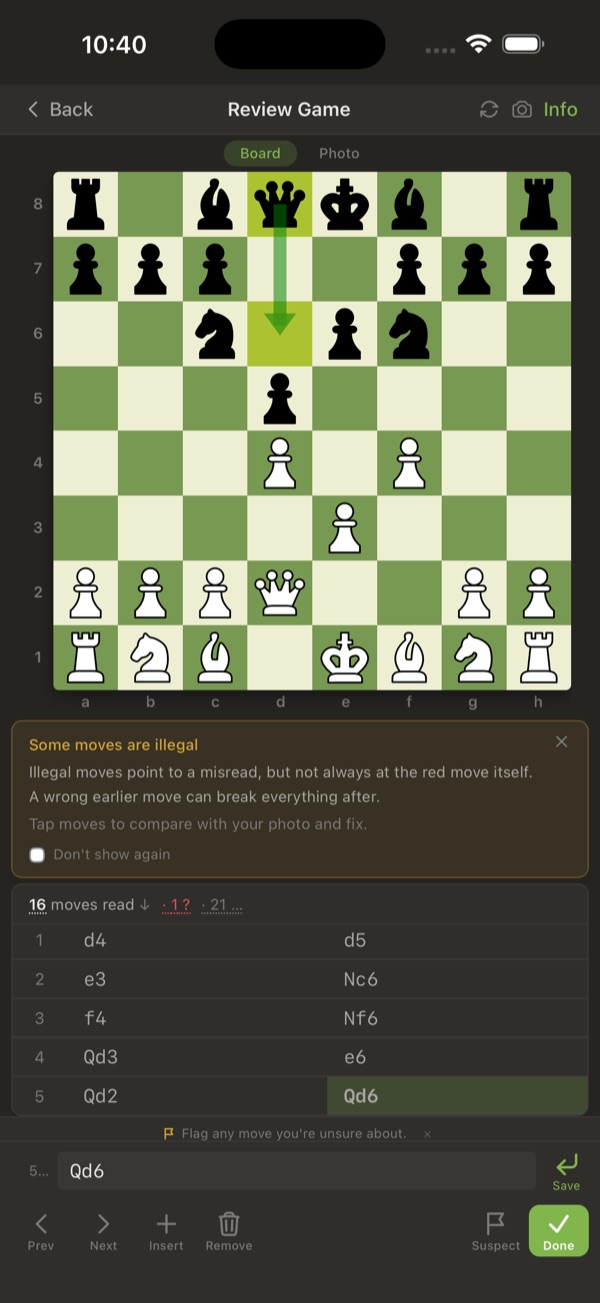 Reviewing a scanned game on the board, with illegal moves flagged for a quick fix.
- Photograph the scoresheet. Right there at the board, or later at the kitchen table.
- Let the app read the moves. A vision AI model recognizes the handwriting and fills in the game.
- Glance over it on a board. Fix anything that looks off. The app even catches illegal moves for you and suggests corrections.
- It is saved. The game lands in your library automatically, with the original photo attached and a cloud backup.
You can do all six of a day's games in the time it used to take to type in one.
A profile for each kid (and each handwriting)
If you have more than one player in the house, or you coach a team, you can keep a separate profile for each child. Every profile has its own game library, its own notation language, and its own handwriting learning. ChessSnap remembers how each player writes and gets more accurate for them specifically over time, so the messy six-year-old scrawl scans better by the tenth game than it did on the first.
It also reads eleven notation languages, so it does not matter whether the scoresheet uses K, Q, R or German K, D, T. See our notation guide if you want to help your child write cleaner moves in the first place.
From a stack of paper to a permanent archive
The shift is small but it changes everything: instead of a drawer that swallows games, you get an archive that grows. Search by your child's name and every tournament game they have ever played is right there, with photos, ready to open in Lichess or send to a coach.
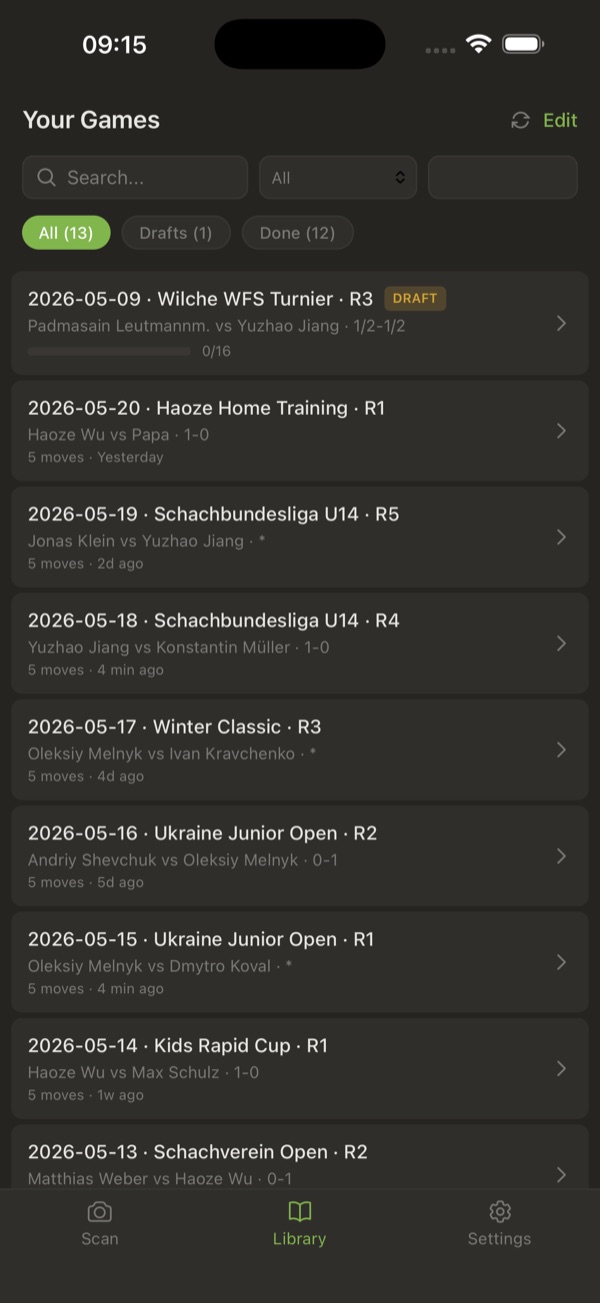 The game library: every scanned tournament game in one searchable list, filtered by player.
Start with the scoresheets already sitting in the drawer. Scan your child's first game free, no signup needed to try it, and see how much faster it is than you expect.